How to Build an ATS-Compliant Resume in 2026: Step-by-Step Guide
How to Build ATS-Compliant Resume, Are you applying for jobs but not receiving interview calls? Your resume could be one reason. Many companies use Applicant Tracking Systems (ATS) to collect and organise job applications. These systems help recruiters search resumes for relevant skills, qualifications, experience, and other job requirements.
A resume that is difficult to read or does not clearly present your qualifications may reduce your chances of being noticed. The solution is to create a clean, professional, and ATS-compliant resume that highlights your relevant experience.
Whether you are a fresher, experienced professional, or career changer, this guide from AlexaHire explains how to build an ATS-friendly resume in 2026.
What Is an ATS-Compliant Resume?
An Applicant Tracking System (ATS) is software that employers use to manage recruitment and job applications. Depending on the system and employer settings, it may extract resume information, organise candidate profiles, and help recruiters identify applicants who match job requirements.
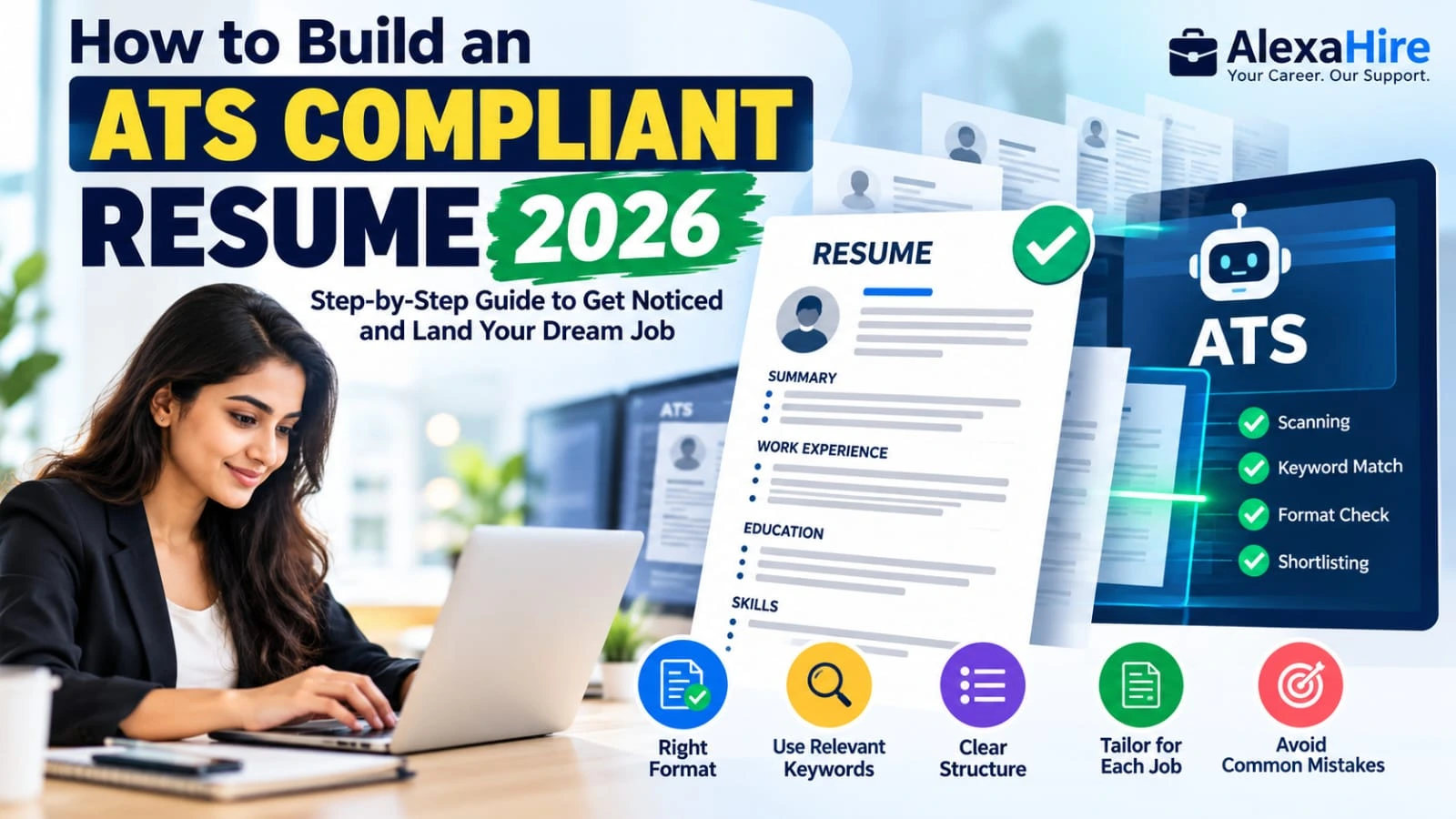
An ATS-compliant resume uses a clear structure, readable text, standard headings, and relevant keywords. It should be easy for both recruitment software and human recruiters to understand.
However, no resume format can guarantee selection or an interview. Your qualifications, experience, and suitability for the position also matter.
1. Choose a Simple Resume Format
The first step is selecting a clean and professional resume layout.
For most applications, a single-column format is a practical choice because it presents information in a straightforward reading order.
Follow these tips:
- Use a simple, professional design.
- Choose readable fonts such as Arial, Calibri, or Times New Roman.
- Keep font sizes consistent and comfortable to read.
- Use standard bullet points for responsibilities and achievements.
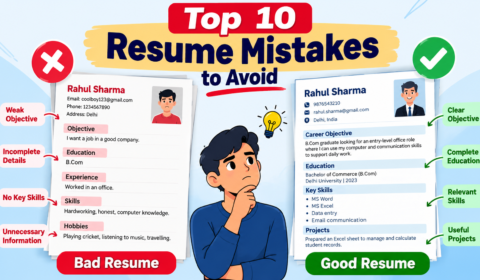
- Avoid unnecessary graphics, icons, and decorative skill bars.
- Keep your contact details in the main document body rather than relying on headers or footers.
For many candidates with limited experience, one page is sufficient. Experienced professionals can use two pages when the additional information is relevant.
2. Add Your Contact Information Clearly
Your contact details should be easy to locate at the beginning of the resume.
Include:
- Full name
- Phone number with country code where appropriate
- Professional email address
- Current city and country
- LinkedIn profile, if relevant
- Portfolio or GitHub link for suitable roles
Avoid unnecessary personal details such as marital status, religion, or a full residential address. A photograph is generally unnecessary unless the employer specifically requests it or the local application requirements call for it.
3. Write a Strong Professional Summary
A professional summary introduces your experience, main skills, and career direction in two to four concise lines.
For example, a fresher applying for a data analyst role could write:
“Detail-oriented aspiring Data Analyst with knowledge of Microsoft Excel, SQL, and Power BI. Experienced in analysing sample datasets and creating interactive dashboards through practical projects. Seeking an entry-level opportunity to support data-driven business decisions.”
Use this as a template and adjust it to reflect your actual skills and experience. Avoid claiming expertise or achievements you cannot demonstrate.
4. Match Resume Keywords to the Job Description
Keywords are important because some ATS platforms allow recruiters to search for specific skills, qualifications, certifications, and job titles.
Before applying, read the job description carefully and identify the requirements that genuinely match your background.
For example, a data analyst vacancy may mention:
- SQL
- Microsoft Excel
- Power BI
- Data visualisation
- Reporting
- Analytical skills
If you have these skills, include them naturally in your skills section and relevant project or experience descriptions.
Do not copy every keyword into your resume or list skills you do not possess. Keyword stuffing can make your resume less useful to recruiters.
5. Present Work Experience with Achievements
Your experience section should explain what you did and, where possible, what you achieved.
Use a consistent structure that includes your job title, employer, location, employment dates, and relevant bullet points.
For example:
Sales Executive | ABC Company
- Managed customer enquiries and maintained client records.
- Prepared sales reports using Microsoft Excel.
- Coordinated with internal teams to resolve customer issues.
Where you have reliable figures, include measurable results. For example, mention the number of customers supported or the percentage improvement in a process if you can substantiate it.
Freshers can include internships, academic projects, volunteering, and relevant practical work.
6. Highlight Relevant Skills, Education, and Certifications
Create separate sections with conventional headings such as Skills, Education, Certifications, and Projects.
Keep your skills relevant to the position. For example:
Technical Skills: Python, SQL, Excel, Power BI
Professional Skills: Communication, problem-solving, teamwork
Add your degree, institution, and graduation year. Include certifications that support your target role, but do not allow certificates to replace practical experience or projects.
For technical roles, a GitHub profile or portfolio can help demonstrate your abilities.
7. Save Your Resume in the Correct File Format
Most modern recruitment systems can process common document formats, but compatibility varies.
Follow the employer’s instructions first:
- Use DOCX if the application requests a Word document.
- Use a text-based PDF if PDF is accepted or requested.
- Avoid scanned PDFs that contain only images of text.
- Check that your name, email, dates, and skills remain readable after exporting.
A useful final test is to open the exported file, select all the text, and copy it into a plain-text editor. If the content appears in the wrong order or important details are missing, simplify the formatting and check again.
Common ATS Resume Mistakes to Avoid
Avoid these mistakes when preparing your resume:
- Using complicated multi-column templates.
- Placing essential contact details inside graphics or text boxes.
- Using unusual headings instead of standard section names.
- Adding irrelevant keywords or unsupported skills.
- Describing responsibilities without explaining relevant outcomes.
- Submitting a resume with spelling or grammatical errors.
- Sending the same untailored resume for every job.
- Ignoring the employer’s requested file format.
Remember that an ATS-friendly resume improves readability; it does not guarantee that an application will pass every employer’s screening process.
Final Thoughts
Building an ATS-compliant resume in 2026 does not require expensive software or a complicated design. Focus on a simple layout, clear section headings, relevant job-description keywords, and genuine achievements.
Customise your resume for each position, proofread it carefully, and follow the employer’s application instructions. A well-structured resume can help recruiters understand your qualifications and evaluate your suitability for the role.
Visit AlexaHire.in for more resume-writing advice, career guides, job updates, and work-from-home opportunities to support your job search.
Frequently Asked Questions (FAQs)
1. What is an ATS-friendly resume?
It is a resume formatted so recruitment software can more easily extract and organise its text and details.
2. Is PDF or DOCX better for an ATS resume?
Both formats may work. Follow the employer’s instructions and use a readable, text-based document rather than a scanned image.
3. Should freshers include projects in their resumes?
Yes. Relevant academic or personal projects can demonstrate practical skills when professional experience is limited.
4. Do keywords guarantee ATS selection?
No. Relevant keywords can help recruiters identify matching qualifications, but selection depends on the employer’s criteria and the overall application.
5. How long should an ATS-friendly resume be?
One page is often sufficient for freshers and candidates with limited experience. Experienced professionals may need two pages to present relevant qualifications clearly.