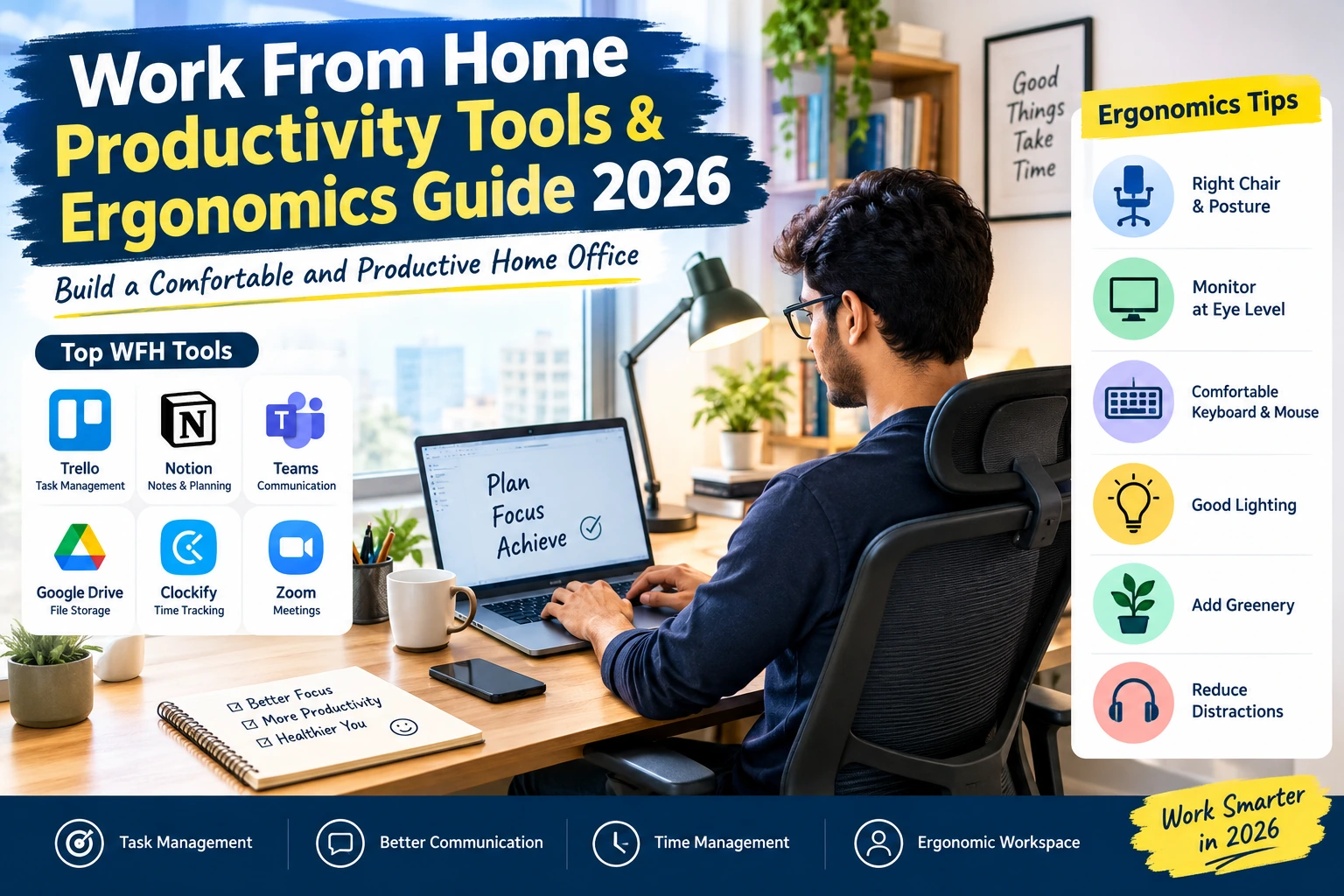
Work From Home Productivity Tools & Ergonomics Guide 2026: Build a Comfortable and Productive Home Office
wfh Productivity Tools, Working from home has become a popular option for employees, freelancers, software developers, customer support professionals, digital marketers, and other remote workers. It saves commuting time, offers flexibility, and allows professionals to manage their work from the comfort of their homes.
However, working from home also comes with challenges. Distractions, poor sitting posture, long screen hours, slow communication, and improper time management can affect your productivity.
The good news is that you do not need an expensive home office to work efficiently. The right work-from-home productivity tools, a comfortable desk setup, and a simple daily routine can make a big difference.
In this guide, AlexaHire explains useful WFH tools, ergonomic workspace tips, affordable home office accessories, and practical strategies to help you work smarter in 2026.
What Are Work From Home Productivity Tools?
Work from home productivity tools are applications, software, and physical accessories that help remote employees complete tasks efficiently, communicate with colleagues, organize projects, and maintain a comfortable working environment.
These tools generally fall into four categories:
- Task management tools: Help you organize daily work and deadlines.
- Communication tools: Make meetings, team discussions, and collaboration easier.
- Focus and time management tools: Help you manage your schedule and reduce distractions.
- Ergonomic accessories: Improve workstation comfort and help you maintain a more natural posture.
You do not need every available tool. Start with the ones that solve your biggest problems and fit your job requirements.
1. Best Work From Home Productivity Tools in 2026
Here are some useful digital tools that remote workers can consider.
Trello for Task Management
Trello uses boards, lists, and cards to organize projects. You can create separate lists for pending tasks, ongoing work, and completed assignments.
It is useful for freelancers, content writers, small teams, and professionals who want a simple visual way to manage their workload.
Best for: Daily planning, task tracking, and project organization.
Notion for Notes and Work Planning
Notion combines notes, documents, databases, and project planning features in one workspace. You can use it to maintain meeting notes, create work checklists, plan blog content, and organize research.
It is particularly helpful when you want to keep your professional information organized in one place.
Best for: Notes, documentation, personal planning, and knowledge management.
Microsoft Teams for Team Communication
Microsoft Teams supports workplace messaging, online meetings, file sharing, and collaboration. Many organizations use it to communicate with employees working from different locations.
Check your employer’s approved communication platform before creating another work account.
Best for: Corporate communication, meetings, and team collaboration.
Google Drive for File Storage
Google Drive helps users store, organize, and share documents online. It can be useful when you need to access work files from multiple devices or collaborate with colleagues.
Always follow your company’s data security policies and avoid storing confidential business files in personal accounts without permission.
Best for: File storage, document sharing, and collaboration.
Clockify for Time Tracking
Clockify offers time-tracking features that help you record how much time you spend on different projects and activities.
Freelancers can use time records to understand their working patterns, while remote employees can use personal tracking to identify tasks that take longer than expected.
Best for: Time tracking, project hours, and productivity analysis.
Zoom for Online Meetings
Zoom provides video meetings and other collaboration features. It can help remote teams conduct discussions, attend interviews, and communicate with clients.
Best for: Video calls, online interviews, and remote meetings.
Tip: Before choosing any software, review its available features, pricing, privacy settings, and your organization’s requirements. Free plans and features may change over time.
2. Essential Ergonomic Accessories for Your Home Office
Productivity is not just about software. Your physical working environment also matters.
An uncomfortable chair, poorly positioned laptop, or unsuitable desk can make long working sessions difficult. A few carefully selected accessories can improve your setup without requiring a major investment.
Adjustable Office Chair
An adjustable chair with back support can help you maintain a comfortable sitting position.
Look for a chair that allows you to adjust the height and provides support for your lower back. Your feet should rest flat on the floor or a suitable footrest, and your shoulders should remain relaxed.
If you cannot purchase an office chair immediately, use a stable chair with a supportive backrest and add a small cushion where needed.
Laptop Stand
Working directly on a laptop often encourages you to bend your neck to look at the screen.
A laptop stand can raise the display to a more comfortable height. You can also use a stable stack of books if purchasing a stand is not practical.
When you raise your laptop, use a separate keyboard and mouse so your hands can remain in a comfortable position.
External Keyboard and Mouse
An external keyboard and mouse are useful additions to a laptop-based workstation.
Position them close to your body so you do not need to stretch your arms. Keep your wrists as straight as possible while typing and using the mouse.
These accessories are particularly useful for employees who spend several hours a day working on spreadsheets, emails, coding, or content creation.
Monitor or Second Screen
An external monitor can make multitasking easier by allowing you to view documents, spreadsheets, and applications simultaneously.
Place the monitor directly in front of you, approximately an arm’s length away, and adjust its height to avoid repeatedly bending your neck.
A second monitor is optional. If you are on a limited budget, begin with your existing laptop and improve its positioning first.
Headphones and Desk Lighting
Headphones can help you hear meetings clearly and reduce some surrounding noise. A desk lamp can improve visibility when your room lighting is insufficient.
Choose comfortable headphones and position your light to avoid glare on your screen.
For a small home office, these simple additions may be more useful than buying multiple expensive gadgets.
3. How to Set Up an Ergonomic Workstation at Home
Ergonomics means arranging your work environment to suit your body and the tasks you perform.
Follow these practical steps to create a more comfortable home office.
Step 1: Choose a stable desk. Select a surface with enough space for your laptop, keyboard, mouse, and frequently used items.
Step 2: Adjust your chair. Sit back against the backrest and keep your feet supported. Your knees and hips should be in a comfortable position.
Step 3: Position your screen. Place your monitor directly in front of you, roughly an arm’s length away. The top of the display should be around eye level or slightly below, depending on your comfort.
Step 4: Keep your arms relaxed. Place your keyboard and mouse close enough that you can use them without reaching forward. Keep your elbows near your sides and your wrists relatively straight.
Step 5: Improve lighting. Use natural light when possible and adjust your screen brightness to a comfortable level. Avoid reflections and glare.
Step 6: Keep the desk organized. Remove unnecessary objects, arrange cables safely, and keep frequently used items within easy reach.
Step 7: Change your position regularly. Even a well-designed workstation does not eliminate the need to move. Alternate between sitting, standing, walking, and other suitable activities throughout the day.
These recommendations are consistent with workplace ergonomics guidance from the US Centers for Disease Control and Prevention and the Occupational Safety and Health Administration.
4. Budget-Friendly Work From Home Setup in India
You can build a functional home office without spending a large amount of money.
Here is an illustrative budget guide. These are planning estimates, not verified current retail prices.
| Item | Estimated Budget |
|---|---|
| Laptop stand or stable riser | ₹300–₹1,000 |
| Basic external keyboard | ₹400–₹900 |
| External mouse | ₹200–₹500 |
| Desk lamp | ₹300–₹800 |
| Supportive chair or chair upgrade | ₹1,500–₹4,000 |
| Basic headphones | ₹500–₹1,500 |
You do not need to purchase everything at once. If you already own a laptop, chair, and desk, you may only need a mouse, keyboard, or laptop riser.
Budget tip: Improve your sitting position and screen height before spending money on premium accessories. Use sturdy household items where appropriate, and never use unstable objects that could cause your equipment to fall.
5. Time Management Techniques for Remote Workers
Even the best productivity tools cannot replace good work habits. A simple daily routine can help you manage your responsibilities more effectively.
Plan Three Important Tasks
At the beginning of your workday, identify three tasks that matter most.
For example, a digital marketer might prioritize preparing a campaign report, scheduling social media content, and reviewing performance data.
Complete important work before spending too much time on less urgent activities.
Try the Pomodoro Technique
The Pomodoro Technique involves working in focused intervals followed by short breaks. A common starting point is 25 minutes of focused work followed by a five-minute break.
After several cycles, take a longer break when appropriate.
You can adjust the intervals to match your role. Some tasks require longer periods of concentration, while others involve frequent meetings or customer interactions.
Reduce Notifications
Unnecessary notifications can interrupt your concentration.
Turn off nonessential personal notifications during working hours. Keep work-related alerts enabled when your role requires a quick response.
Set Clear Working Hours
Create a regular start time and a reasonable finishing time whenever your role allows it.
At the end of the day, review completed tasks and prepare a short list for tomorrow. This helps you separate work responsibilities from personal time.
6. Healthy Screen Habits for Work From Home Employees
Remote employees may spend long periods looking at computer screens. Small changes to your routine can help you manage screen-related discomfort.
- Follow the 20-20-20 approach: every 20 minutes, look at something about 20 feet away for at least 20 seconds.
- Take regular movement breaks, including a brief break away from your workstation about every hour.
- Blink regularly and adjust text size to avoid leaning toward the screen.
- Drink water throughout the day.
- Change your posture and avoid sitting continuously for long periods.
- Use appropriate room lighting and reduce screen glare.
These are practical habits, not a substitute for medical advice. If you experience persistent eye discomfort, numbness, or pain in your neck, back, shoulders, or wrists, seek advice from a qualified healthcare professional.
7. Common Work From Home Productivity Mistakes to Avoid
Many remote workers unintentionally develop habits that make their workday less comfortable or efficient.
Working from bed every day: A bed is generally not a suitable primary workstation. Choose a stable table and supportive seating whenever possible.
Buying too many productivity apps: Using several applications for the same task can create confusion. Start with a small set of tools and add others only when needed.
Skipping breaks: Continuous work can contribute to discomfort and fatigue. Schedule short breaks and move regularly.
Keeping no daily plan: Starting work without clear priorities can lead to spending too much time on minor tasks.
Ignoring internet reliability: A stable internet connection is important for online meetings and cloud-based work. Consider a backup connection if your job depends on uninterrupted connectivity.
Working beyond scheduled hours: Flexibility should not mean being available at every hour. Set boundaries that fit your responsibilities and employer’s expectations.
Ignoring data security: Use strong passwords, approved software, device locks, and your employer’s security procedures when handling company information.
8. Sample Daily Work From Home Routine
Here is a sample routine you can adjust to your job and shift timings.
| Time | Activity |
|---|---|
| 9:00 AM | Review emails and plan the day |
| 9:30 AM | Begin the most important task |
| 11:00 AM | Take a short movement break |
| 11:10 AM | Continue focused work |
| 1:00 PM | Lunch and time away from the screen |
| 2:00 PM | Meetings and team collaboration |
| 3:30 PM | Short break and stretching |
| 3:40 PM | Complete remaining tasks |
| 5:00 PM | Review progress and plan tomorrow |
This is only an example. Follow your official shift, meeting schedule, and break policies. Employees working night shifts or international schedules can adapt the same principles to their own hours.
9. How Work From Home Productivity Tools Help Your Career
Remote work requires more than completing assigned tasks. Employers also value communication, accountability, organization, and the ability to collaborate with colleagues online.
Learning to use task management software, spreadsheets, video meeting platforms, and shared documents can help you develop practical workplace skills.
Freshers can practise organizing projects and preparing professional reports. Experienced professionals can use time tracking and project management tools to improve planning and coordination.
Freelancers can also benefit from structured task lists, clear deadlines, and accurate records of their working hours.
However, remember that productivity software does not guarantee a better job or promotion. Your skills, work quality, reliability, and professional communication remain important.
If you are exploring remote career opportunities, visit AlexaHire.in for job-related resources and career guidance. Always verify the work location, eligibility criteria, and employment details on the employer’s official careers website before applying.
Frequently Asked Questions (FAQs)
1. What are the best work from home productivity tools?
Useful options include Trello for task management, Notion for notes and planning, Microsoft Teams for communication, Google Drive for file sharing, Clockify for time tracking, and Zoom for video meetings. The best choice depends on your work requirements.
2. Which accessories are essential for a work-from-home setup?
A stable desk, supportive chair, properly positioned laptop or monitor, keyboard, and mouse are good starting points. Headphones and a desk lamp can be added according to your needs.
3. How can I improve productivity while working from home?
Set clear daily priorities, reduce unnecessary notifications, organize your workspace, use suitable productivity tools, and take regular breaks. A consistent routine can help you stay focused.
4. How much does a work-from-home setup cost in India?
The cost depends on the equipment you already own and the accessories you need. You can start with a basic setup using existing furniture and gradually invest in a laptop stand, keyboard, mouse, and supportive chair.
5. Is an ergonomic chair necessary for working from home?
An adjustable chair with suitable back support can improve comfort during desk work. If you cannot purchase one immediately, use a stable chair, support your lower back, and ensure your feet are properly supported.
6. What is the 20-20-20 rule?
It is a screen-break habit in which you look at an object about 20 feet away for at least 20 seconds every 20 minutes. It may help reduce eye fatigue associated with prolonged screen use.
7. Can productivity tools help freshers working remotely?
Yes. Task managers, shared documents, calendars, and communication platforms can help freshers organize assignments, meet deadlines, and collaborate with their teams. They should also learn their employer’s preferred tools and working practices.
8. How can I create a home office without spending much money?
Start with a stable table, a supportive chair, good lighting, and a suitable screen position. Use existing household items as safe risers or footrests where appropriate, and purchase additional accessories only when needed.
Conclusion
Building a productive home office does not require expensive equipment or dozens of applications. The most effective approach is to combine a few useful work-from-home productivity tools with a comfortable workstation, organized daily tasks, and regular movement breaks.
Start by improving your chair and screen position, choosing one reliable task management tool, and creating a routine that suits your job. Review your setup regularly and make changes according to your comfort and work requirements.
Whether you are a fresher, experienced employee, freelancer, or remote professional, these practical steps can help you build a more organized and comfortable workday.
Stay connected with AlexaHire.in for more career advice, remote work tips, and professional development resources.